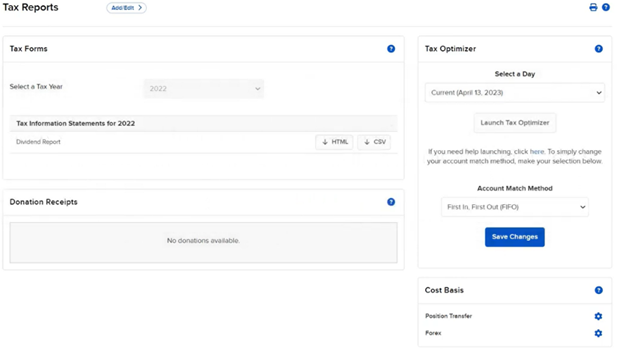
Interactive Brokers offers a comprehensive suite of reporting tools, enabling them to generate standard statements, create custom reports, enable automatic statement delivery, and access the PortfolioAnalyst tool. Advisors can access these features by expanding the Reporting menu in the left side menu, where they can find options for Statements, Flex Queries, Data Queries, Advisor Reports, Tax documents, and Other Reports (IBKR Traders´Academy, s.f.).
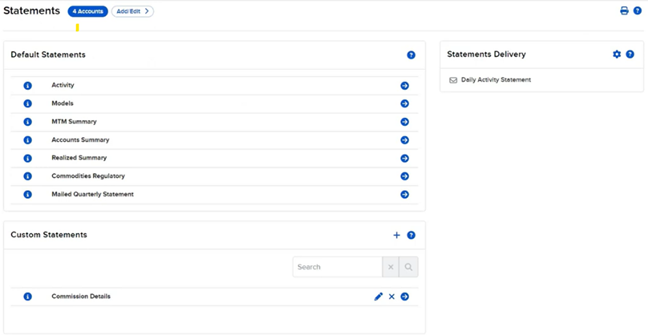
- Statements
The Statements page allows advisors to generate both default and custom reports. Advisors can configure automatic delivery of these reports and select the accounts or groups of accounts for which the reports will be run. Default statements can be generated by selecting the desired period, date, format, and language (IBKR Traders´Academy, s.f.). For more tailored reporting needs, advisors can create custom statements by selecting specific sections and configuring delivery options. These custom statements can also be automatically delivered to clients.
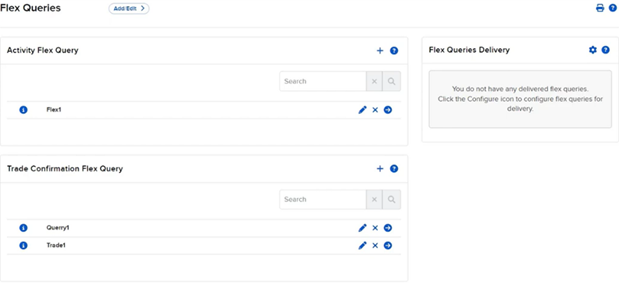
- Flex Queries
Flex Queries offer a higher level of customization, allowing advisors to create XML, CSV, or Text formatted reports with specific data fields and customized field order. Unlike default statements and trade confirmation reports, Flex Queries let advisors include and exclude detailed field information at the field level. These queries can also be set up for automatic delivery.
- Creating Groups
Advisors can manage groups of client accounts from the Administration & Tools section. Groups can be edited, deleted, or newly created, with the option to make groups private or public. Private groups are only visible to the user who created them, while public groups are accessible to all users on the master advisor account (IBKR Traders´Academy, s.f.). Advisors can also create Households, where one member is designated as the head of household, allowing them read-only access to reporting and account information for all accounts within the household.
- Tax Documents
The Tax Reports page provides access to tax documents, which can be generated for individual client accounts or downloaded as a zip file for all clients under the master advisor account. Clients can also access their tax forms directly through their Client Portal and are notified when the forms are ready.
Lastly, IBKR’s PortfolioAnalyst tool, accessible within the Advisor Portal, consolidates, tracks, and analyzes clients’ complete financial performance. This powerful analytical tool will be reviewed in more detail in the next video lesson (IBKR Traders´Academy, s.f.).