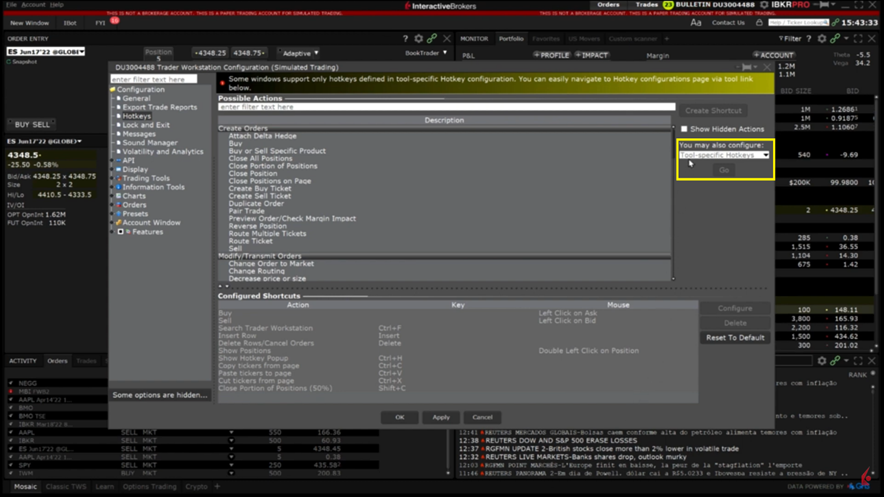
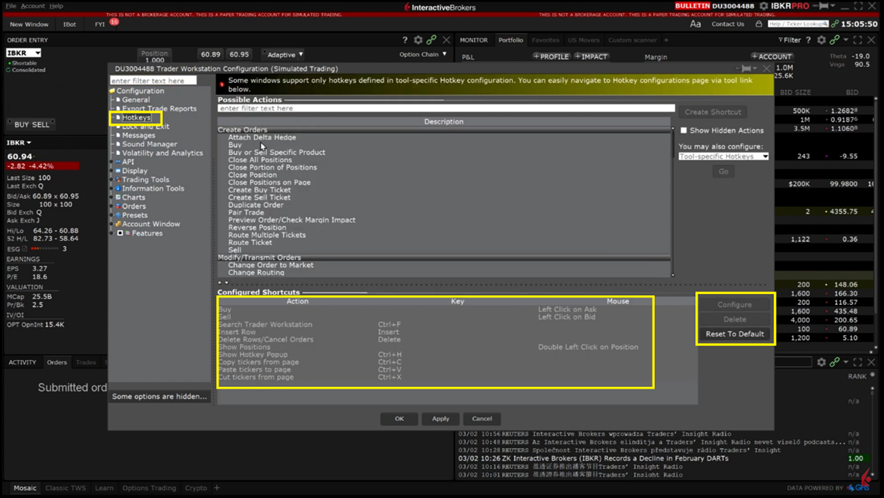
Hotkeys are created and managed within Global Configuration. The list of possible actions is at the top of the pane and already configured hotkeys are located at the bottom. To edit a pre-existing shortcut, click to highlight the shortcut then select configure or select Delete to remove the shortcut entirely.
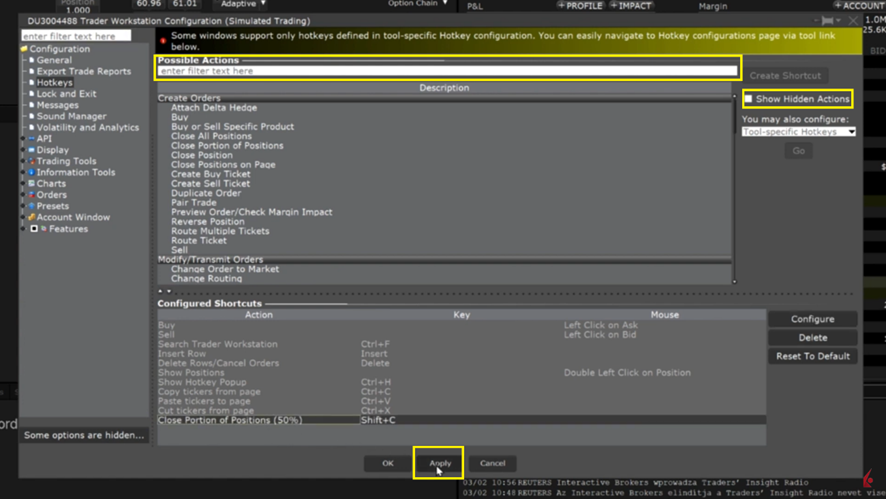
In order to view the complete list of possibilities, click the box next to Show Hidden Actions in the top right-hand corner. The actions are grouped into categories such as Create Orders, Modify/Transmit Orders or Analysis. You can also use the search bar at the top to search for commands based on key words.
In addition to global Hotkeys, Hotkeys can be configured for specific trading or information tools in TWS such as ChartTrader or OptionTrader.
To create tool-specific hotkeys, select the tool in the drop down in the right side of the pane then click Go. You will be redirected to the Global Configuration page for creating hotkeys for the desired tool. These hotkeys will only work within the specific tool they were configured for.