Client Relationship Management or CRM is an integrated suite to manage client’s information and perspectives. Some of the tools like Notes, Workflows, Documents and Calendar are stored on Rackspace, a third party cloud service provider which can be accessed in the User settings section after setting a Rackspace Password.
- Contacts Tab
Opened, pending account, and prospective clients are displayed in the Contacts tab of the Home page. At the top on the Contacts page the Statistics Row can be seen. To view the information page, click the blue “i” icon to the left of the contact. Here IBs can access tools such as funding and position transfers, statements, PortfolioAnalysis reports and additional tools.
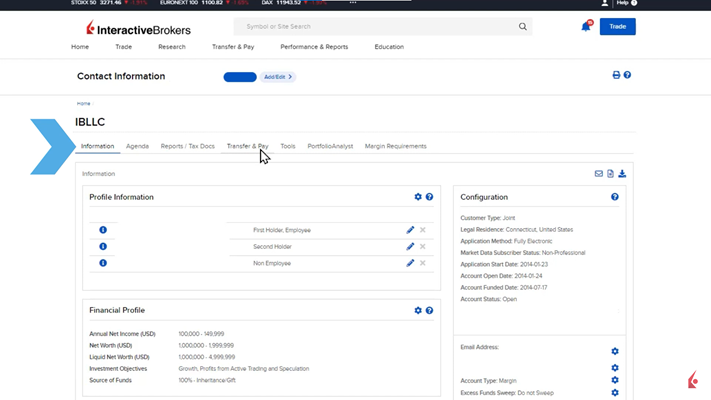
Next, on the Agenta tab IBs can access CRM tools like Workflow, Notes, Documents, and Events for the specific client account.
Workflows provide a straightforward method for assigning tasks to employees at a brokerage and monitoring their progress. To add a new workflow, click the plus icon in the upper right corner. Workflows consist of “stages” or individual tasks, which can be prioritized, given due dates, and assigned to specific team members. For example, a broker might set a task for generating a year-to-date performance report for an upcoming client meeting. Additional tasks can be added by clicking the Add Stage button and entering the details similarly. Workflows are organized by date and priority, and they can be edited or deleted as needed.

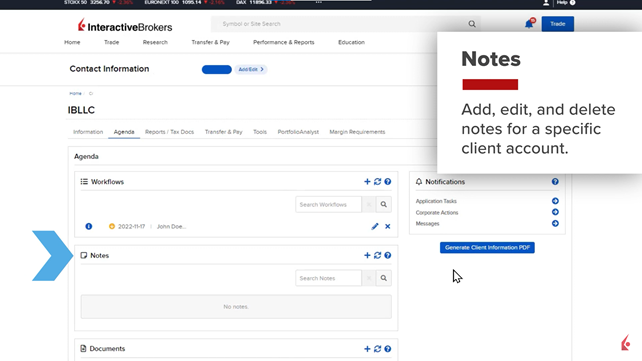
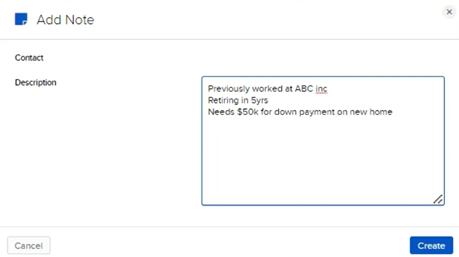
The Notes panel allows brokers to add, edit, and delete notes for a specific client account. To add a new note, click the plus sign in the upper right corner of the panel and enter the details in the Description field. This is useful for recording important client information, such as a client’s retirement plans or upcoming financial needs.
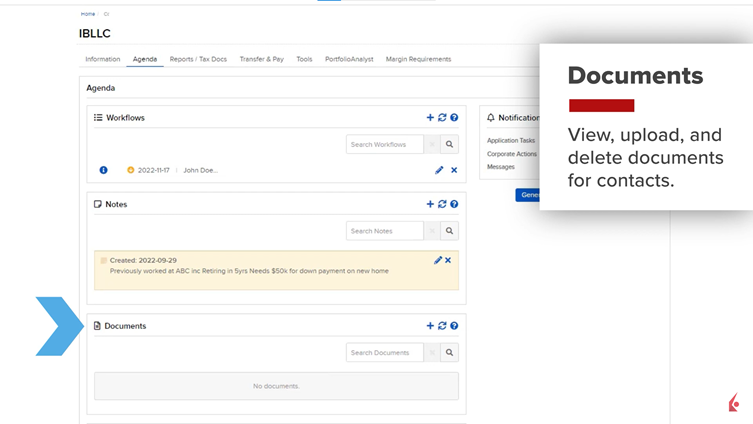
The Documents panel is used to view, upload, and delete documents related to contacts. To add a document, click the plus icon, choose the desired file, and upload it. Viewing documents is done by clicking the eye icon, while deleting them requires clicking the x icon and confirming the action. It is important to note that this feature is not for submitting new account documents; uploaded documents are securely stored on Rackspace and are not accessible by Interactive Brokers.
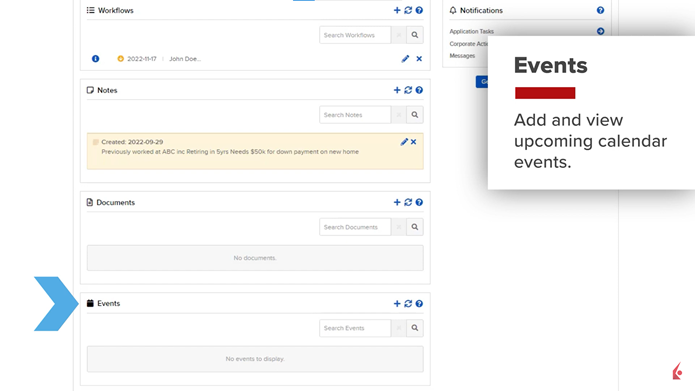
The Events panel is designed for adding and viewing upcoming events scheduled with the broker’s contacts. To add a new event, click the plus sign in the upper right corner, then enter the event name and start and end times, or indicate if it is an all-day event. Events can be edited by clicking the pencil icon and deleted by clicking the x icon and confirming the action.
- Calendar Tab
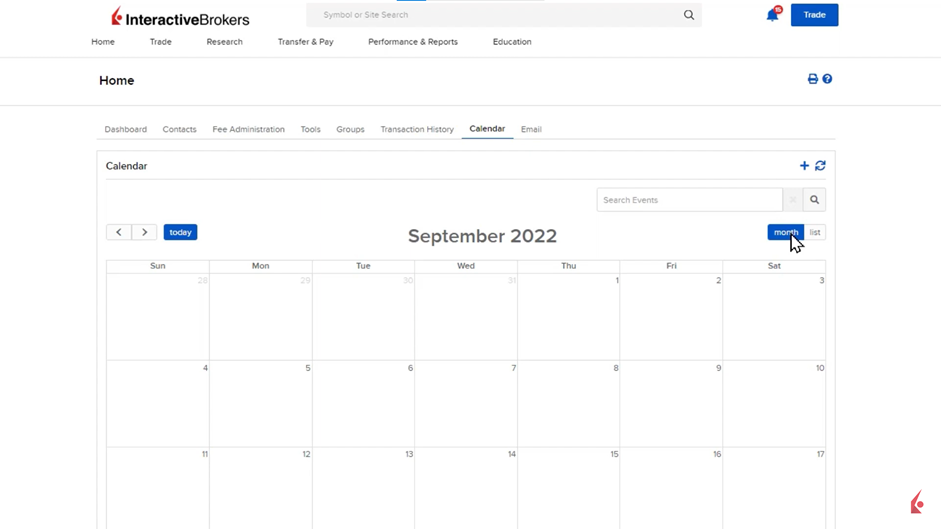
Brokers can view and manage events for all clients from the Calendar tab, accessible from the main Home page. This calendar offers both a monthly and daily list view, which can be toggled using buttons on the upper right. Brokers can add events directly from this page by clicking the plus sign in the upper right corner.
- Email Tab
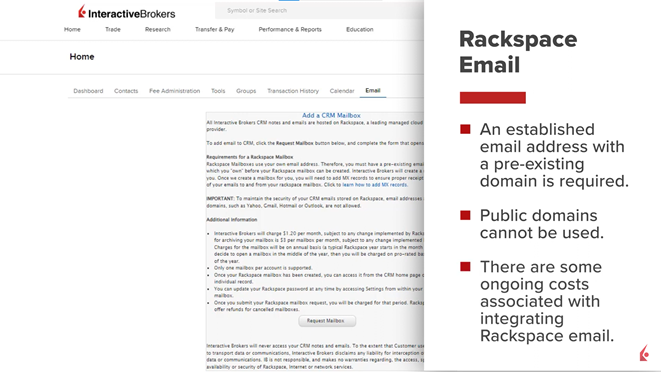
Adjacent to the Calendar tab is the Email tab, which partners with Rackspace for secure email storage. Interactive Brokers (IBKR) does not store or access these emails. To use this feature, users must request a mailbox through Rackspace, which requires an established email address from a private domain. Public domains like Yahoo or Gmail are not supported. There are ongoing costs for using Rackspace email integration.
- Tools Tab
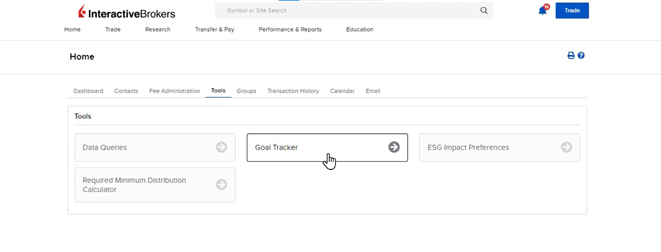
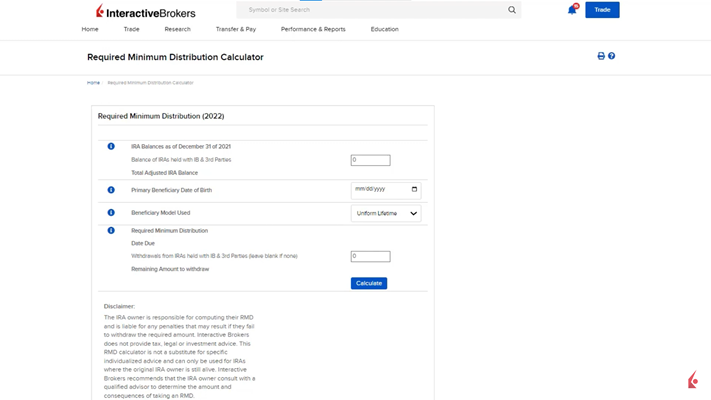
The Tools tab includes features such as Client Data Queries, Goal Tracker, ESG Impact Preferences, and the Required Minimum Distribution (RMD) Calculator. Client Data Queries enable brokers to generate reports based on performance and other criteria. The Goal Tracker helps project portfolio performance against client goals. ESG Impact Preferences allow clients to define socially responsible investment criteria. The RMD Calculator aids in calculating required distributions for IRAs, though IBKR does not provide tax or legal advice.