
IBKR’s Advisor Portal is a free, comprehensive CRM platform designed for financial advisors and RIAs. It serves as a centralized hub for managing clients, accessing reporting features, handling client billing, and various other tasks. The portal can be accessed through IBKR’s homepage by logging in via the Portal Login option (IBKR Traders´Academy, s.f.).
The main navigation menu of the Advisor Portal offers a range of features. The Home page facilitates client information management and new account onboarding. The Contacts page allows advisors to manage client and prospect information. The Administration & Tools menu provides access to various CRM tools, including billing configuration, household creation, and risk score viewing.
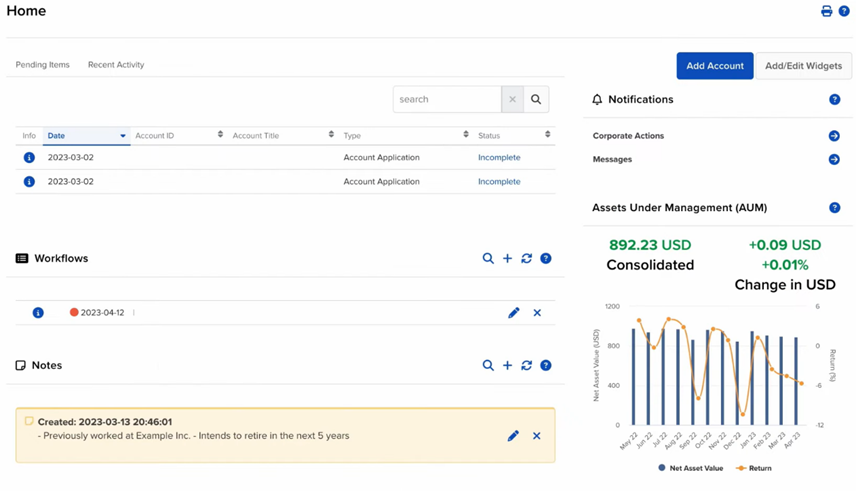
The Trade menu enables advisors to trade various financial products and manage orders. PortfolioAnalyst is available for comprehensive financial performance analysis. The Reporting menu offers access to statements, tax documents, and customizable reports. Research tools, including watchlists and market scanners, are accessible through the Research menu (IBKR Traders´Academy, s.f.).
The Transfer & Pay menu provides resources for fund and position transfers, while the Education menu links to various educational materials, including videos, webinars, and the IBKR Forum. The portal also offers user-friendly features such as language selection, accessibility options, and the ability to switch between light and dark modes. Support resources are readily available within the Advisor Portal. These include a Help menu with FAQs and access to the Support Center. Additionally, contextual help is provided throughout the portal via blue question mark icons, offering quick answers to specific queries while working in different sections of the platform (IBKR Traders´Academy, s.f.).