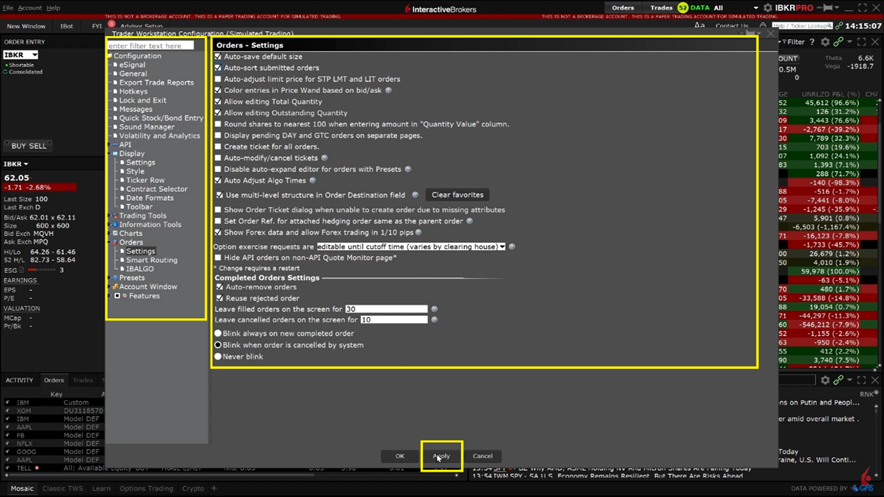
These customizations are managed via TWS Global Configuration. There are numerous settings to choose. The TWS Global Configuration can be accessed in Mosaic and Classic TWS.
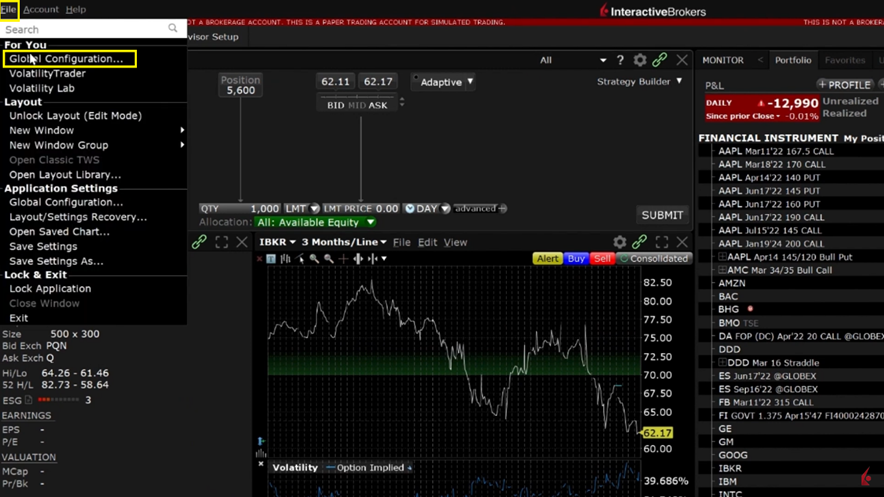
Select File in the upper left corner and click Global Configuration in the drop down.
Once you click on Global Configuration there are two main sections. The left pane is the main menu which will dictate the tool or area of TWS that is being configured. Click on the plus sign to expand the high-level sections to view the sub-pages.
Once a page is selected on the left pane, the right pane will contain the available settings to configure. After all changes have been selected, click Apply and OK to activate the changes.