IBs have the option to charge clients for services by using the Interactive Broker’s Invoicing tool. The broker can manually calculate the client fee and enter it into the system to charge the client.
- Configuring Invoice Limits
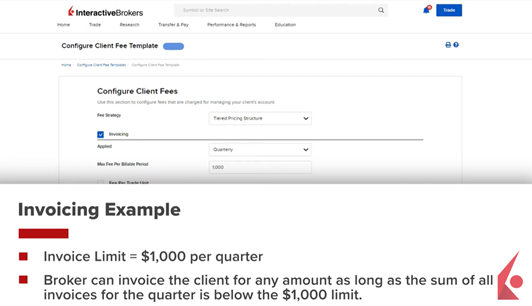
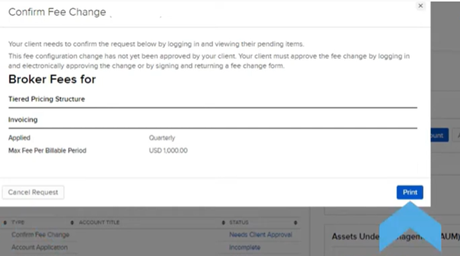
Before a broker can submit electronic invoices, the client must approve an invoice limit, which is the maximum amount a broker can charge on a monthly or quarterly basis. This limit is configured within the Fee Templates by selecting the Invoicing option and specifying whether the limit is monthly or quarterly. The dollar amount for the maximum fee per billable period is then entered. For instance, setting a quarterly limit of $1,000 means the broker can submit invoices totaling up to $1,000 each quarter, but not necessarily reaching that amount every time. The client approves this limit either by signing in electronically or by signing a paper form and returning it to Interactive Brokers.
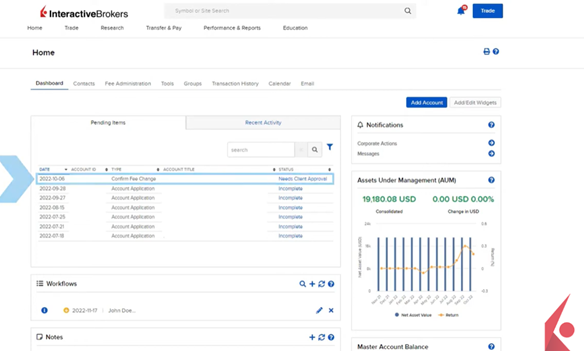
Pending invoice limit modifications can be viewed on the Home Dashboard under the Pending Items box. By clicking on Needs Client Approval, details of the request can be reviewed, and the user can either cancel the request or print a form for the client’s signature.
- Submitting Electronic Invoices
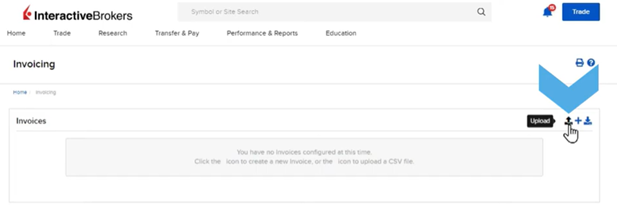
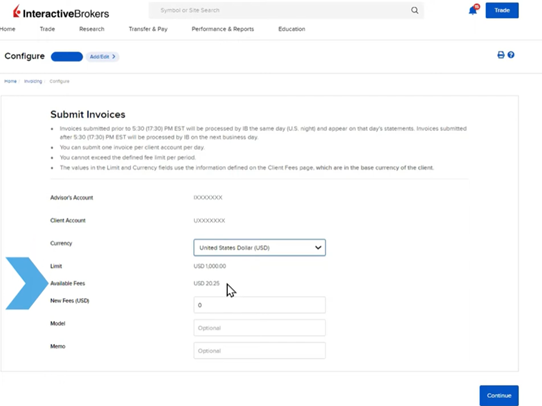
After the client approves the invoice limit, brokers can submit electronic invoices via the Fee Administration tab under Invoicing. Invoices can be created for individual accounts by clicking the Create “+” sign, selecting the account from the Account Selector, and populating the master and client account numbers. The base currency is automatically selected, but can be changed. The invoice limit for the billable period and available fees are displayed, allowing brokers to enter the invoice amount and optional details like model or memo.
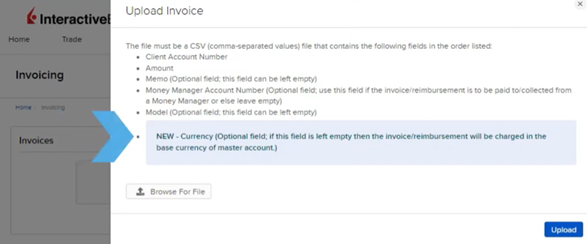
Brokers can also submit invoices in bulk using a .CSV file containing fields for Client Account Number and Invoice Amount, with optional fields for currency, memo, model name, or Money Manager account number. The submitted invoice amount is automatically transferred from the client account to the broker account. Invoices submitted before 5:30PM EST are processed the same day, while those submitted later are processed the next business day. Only one invoice per client account can be submitted daily, and the invoice amount must not exceed the approved limit per period.