
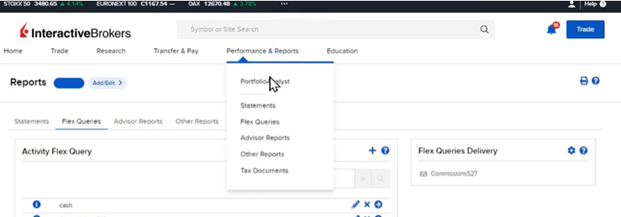
A full suite of reporting software for IBs is offered by Interactive Brokers to get standard statements, create custom reports, enable automatic statement delivery, and access to IBKR’s PortfolioAnalyst. These reporting features can be accessed from the Performance and Reports menu in the Broker Portal.
To generate reports, use the blue pill at the top of the page to select the account or group of accounts. Click the blue Run arrow to generate Default Statements, and choose the period, date, format, and language for the report.
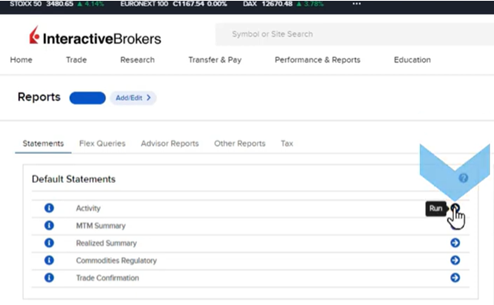
- Custom Statements
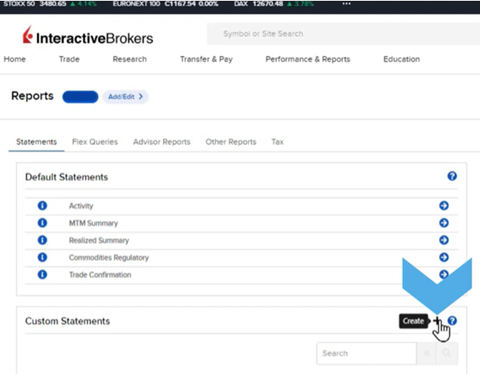
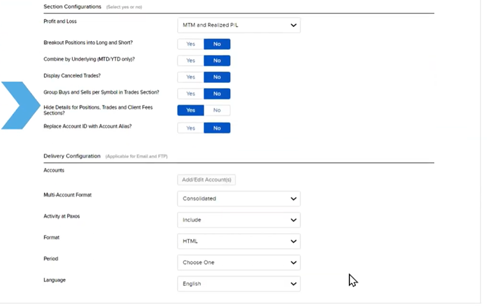
If default statements do not meet a broker’s needs, custom reports can be created. Click the plus sign in the Custom Statements panel to configure a new report. Name the report, select sections like Commission Details and Trades, and choose Section and Delivery Configurations. Review the custom report before clicking Create, and the new report will appear in the Custom Statements panel.
- Statement Delivery
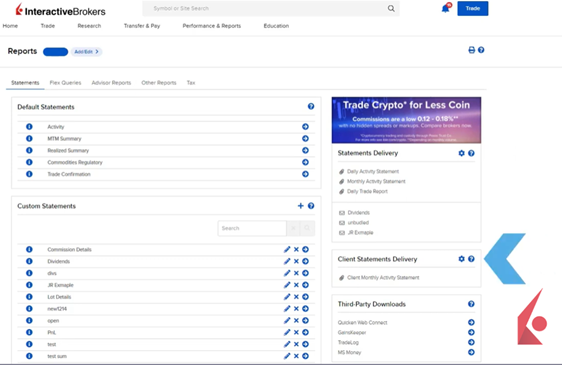
Both Default and Custom Statements can be automatically delivered to the broker. Default Statements can also be delivered directly to the client. Use the Statements Delivery panel for broker delivery configurations, and the Client Statements Delivery panel for client delivery configurations.
- Flex Queries
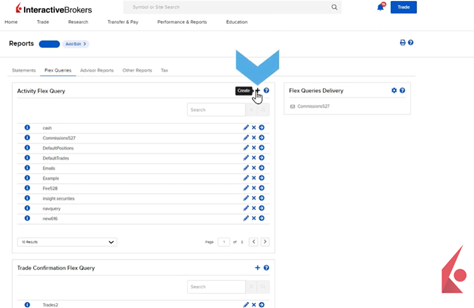
The Flex Queries tab allows for highly customized reports in XML, CSV, or Text formats, specifying exact data fields and their order. Create a custom Activity Flex Query by clicking the plus sign in the Activity Flex Query panel, naming the query, and selecting sections like Open Positions. Choose data columns, adjust their order, set delivery and configuration settings, and review the query before creating it. Flex Queries can also be enabled for automatic delivery.
- PortfolioAnalyst
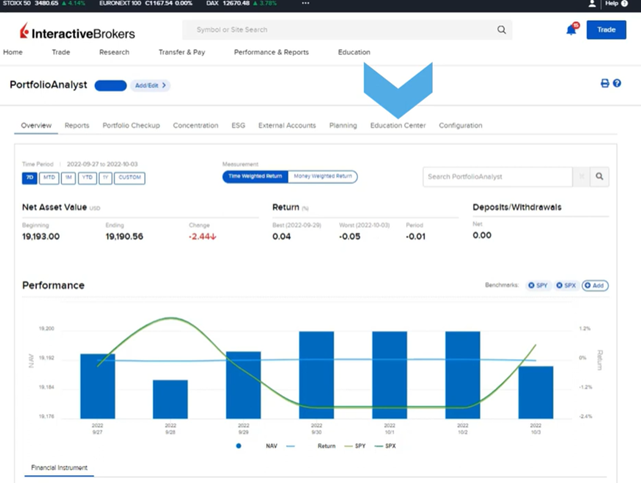
PortfolioAnalyst is a tool within Broker Portal that tracks and analyzes a client’s financial performance. Clients can link various accounts to understand their financial state and plan for the future. PortfolioAnalyst reports compare portfolio allocation and performance to over 300 benchmarks, and brokers can create custom benchmarks. Educational resources and courses on PortfolioAnalyst are available in the Traders’ Academy and Education Center tab.
- Groups & Householding
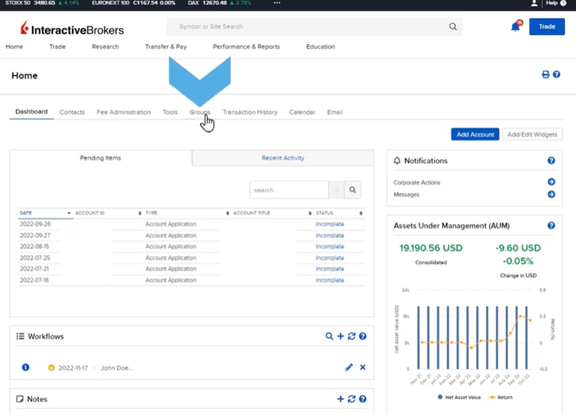
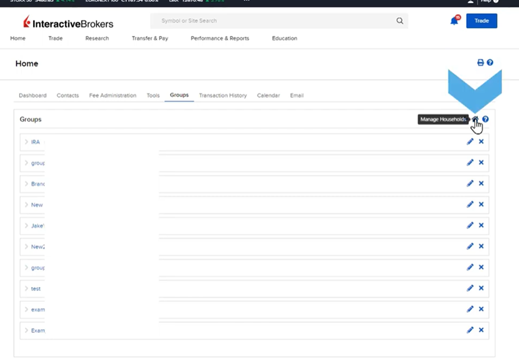
Reports can be run for individual or grouped accounts. Manage groups from the Home Page or Groups tab. Create new groups by clicking the plus sign, naming the group, and selecting if it’s private or public. Add/Edit Group Members to include client accounts.
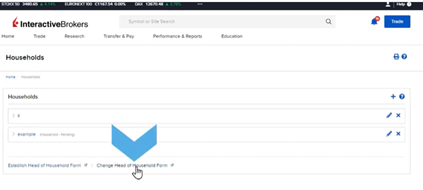
Brokers can create Households for eligible accounts, where a head of household can view all accounts’ reports and details. Accounts remain separate but linked for reporting purposes. Manage households via the Manage Households button. To add a household, click the plus sign, name the household, and add accounts. Submit electronically, then complete the Establish Head of Household form or the Change Head of Household form for changes.
- Broker Exception Reports
Interactive Brokers (IBKR) offers Introducing Brokers a variety of Broker Exception Reports in addition to the customizable reports available in the Broker Portal. These reports provide critical information and insights into various aspects of client activities and account statuses.
The Incoming Stock Transfer Report details any securities transferred into a client account from external sources. The Small and Micro-Cap Trade Blotter lists trades executed by client accounts where the share price was less than USD 5.00. The Customer Information Change Report tracks all changes in client information, such as address updates, made in the previous day.
The Top 40 Accounts report ranks the top 40 clients based on their profit and loss (PNL) gains and commissions, although this report is currently under redevelopment. The Cashier Transaction Blotter provides a summary of all deposits and withdrawals for the broker’s client accounts. The Foreign Bank Certification Review Report identifies any client accounts declared as foreign banks.
The OFAC and World Check Reports involve checks against global databases and list recent checks processed within the last 21 days for each open sub-account of the Introducing Broker master account. The Account Information and CIP Opening Document Reports compile data on newly approved clients and include necessary documents for anti-money laundering (AML) purposes, such as identification and utility bills.
Finally, the Politically Exposed Clients report identifies sub-accounts flagged as politically exposed persons (PEPs) based on compliance checks, often triggered by positive matches in OFAC or World Check databases. All these reports are securely delivered via FTP, and brokers can request them through the Sales Engineering team at salesengineering@interactivebrokers.com.