Allocating a single trade into the client’s account is possible by using the Trader Workstation Allocation Order Tool where filters can also be applied to choose the allocation method before placing an order.
The Trader Workstation Allocation Order Tool enables advisors to efficiently allocate a single trade across clients’ accounts for various securities. Advisors can use filters to refine eligible accounts and choose an allocation method before submitting a trade. Allocation profiles can be saved for future use. The tool is accessed in Mosaic via the Order Entry panel. Advisors can filter accounts by various criteria, such as existing positions, market value, and cash balance, and select from multiple allocation methods, including increasing positions by a percentage, distributing total quantities equally, or using custom values. The tool allows for manual adjustments and replicating recent trades. After setting and applying the desired allocation, advisors can submit the order, ensuring the correct pre-trade allocation. It is recommended to practice with a paper trading account initially.
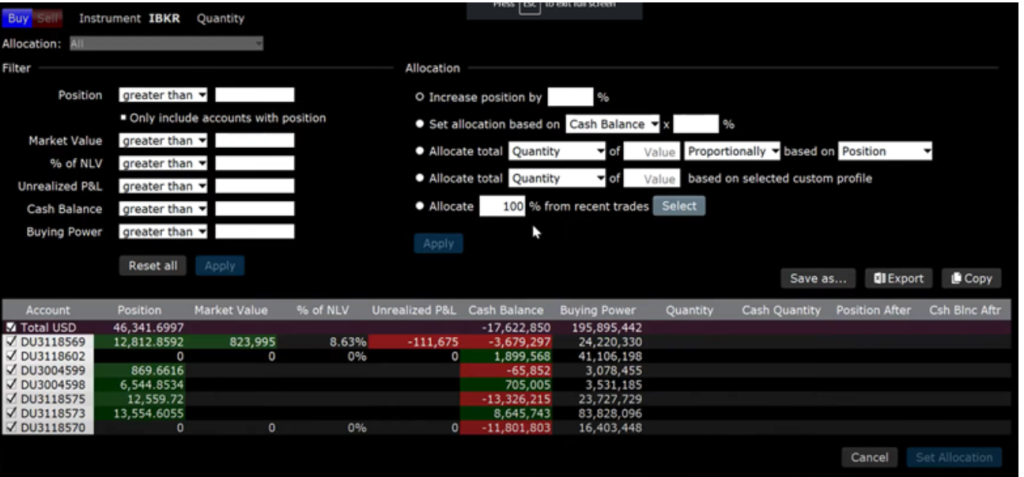
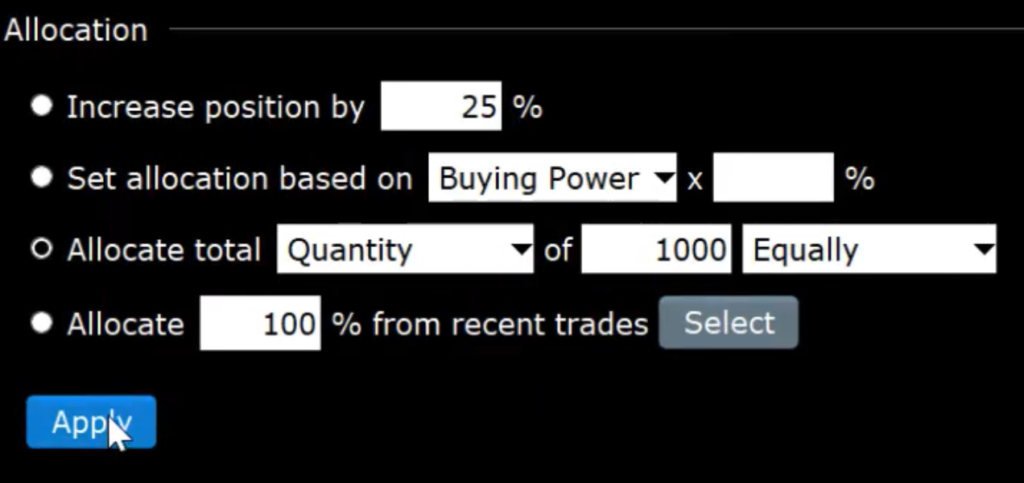
There are five allocation methods that can be used:
- Increase or decrease positions by a certain percentage
- Choose a percentage of cash balance or buying power
- Allocate by total quantity, cash quantity or buying power.
- Use a percentage from a recent trade
- Entering a custom quantity or cash quantity value for each account.
For example, if we want to increase the position by 25%, we need to allocate quantity of 1000 shares equally between accounts as follows: