
In this lesson, we will review how to configure general order settings, specify SMART routing defaults and select favorite IB Algos to be displayed within Trader Workstation or TWS in order to better suit your trading needs and preferences.
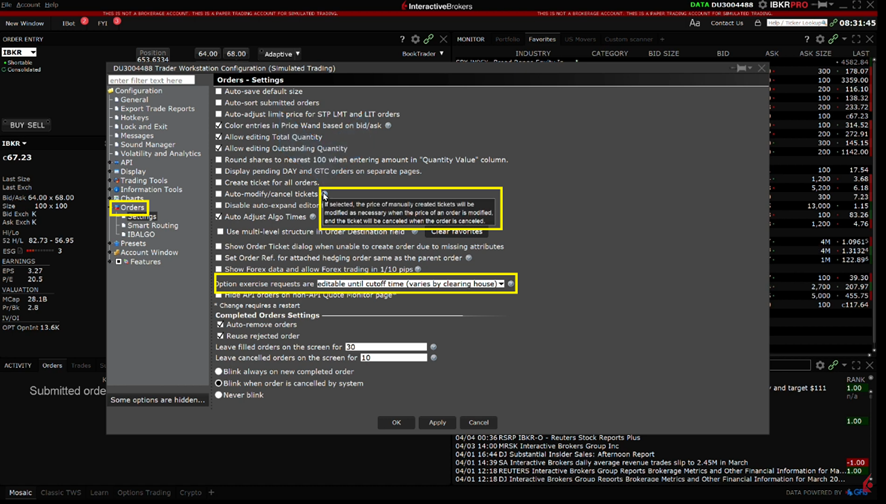
We will focus on the Settings page which you can select by clicking Orders then Settings on the left side menu. In this area, you can manage general order settings such as whether option exercise requests are final or if they are able to be edited until the cutoff time for the contract. For further details on a particular setting, hover your mouse over the blue question marks.
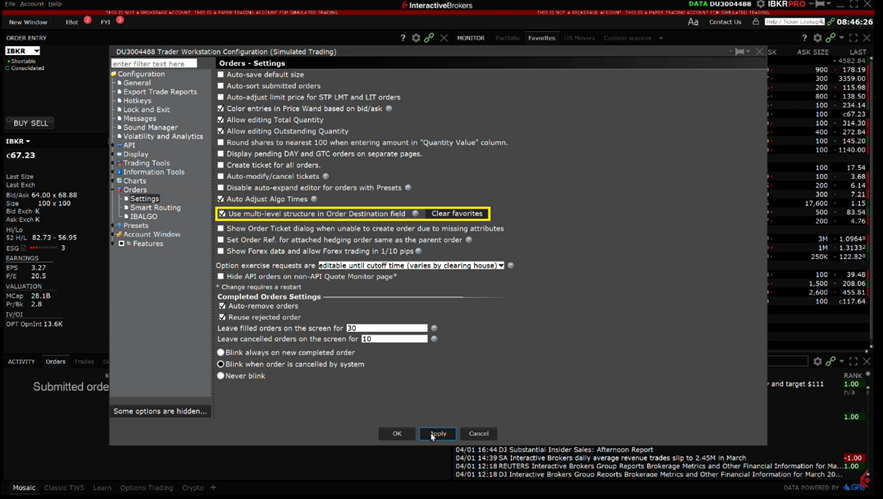
I can navigate to Global Configuration and select Orders then Settings and check the box next to Use multi-level structure in Order Destination field. Now, within the order entry, the order destinations are broken into collapsible categories for Smart Routing, Direct Routing or Algorithms.
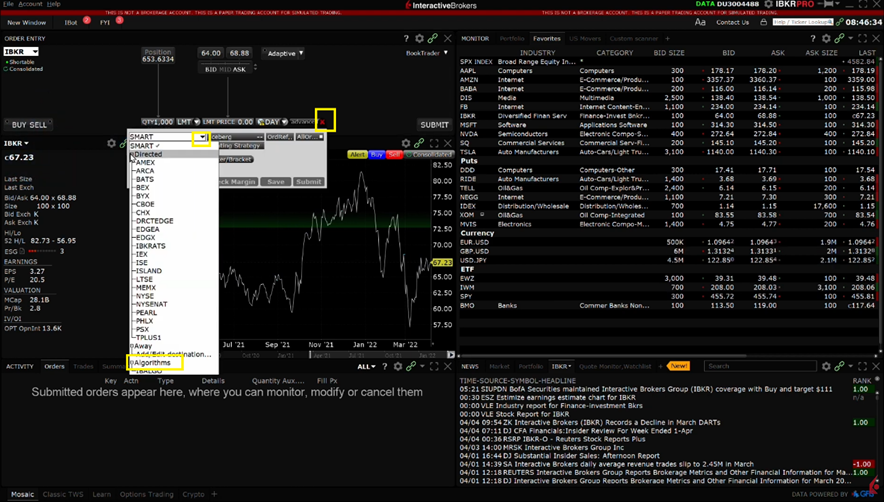
The IBKR SMART routing algorithm seeks to achieve the best overall price and continuously evaluates fast changing market conditions and dynamically re-routes all or parts of your order seeking to achieve optimal execution.
Source: (IBKR, 2023, TWS Order Routing Settings https://ibkrcampus.com/trading-lessons/tws-order-routing-settings/)