Client’s tax liability can be properly optimized using the Tax Loss Harvest tool in IBKR and the automation allows Advisors to harvest losses simultaneously across multiple client accounts especially if they are in a higher tax bracket.
This tool can be found in the Advisor Setup area and then clicking on the Tax Loss Harvesting tool. It can also be found in TWS Mosaic Portfolio tab. The main tree sections of the tool include:
- Identify losing opportunities
- Tax Loss Information Summary
- Find replacement
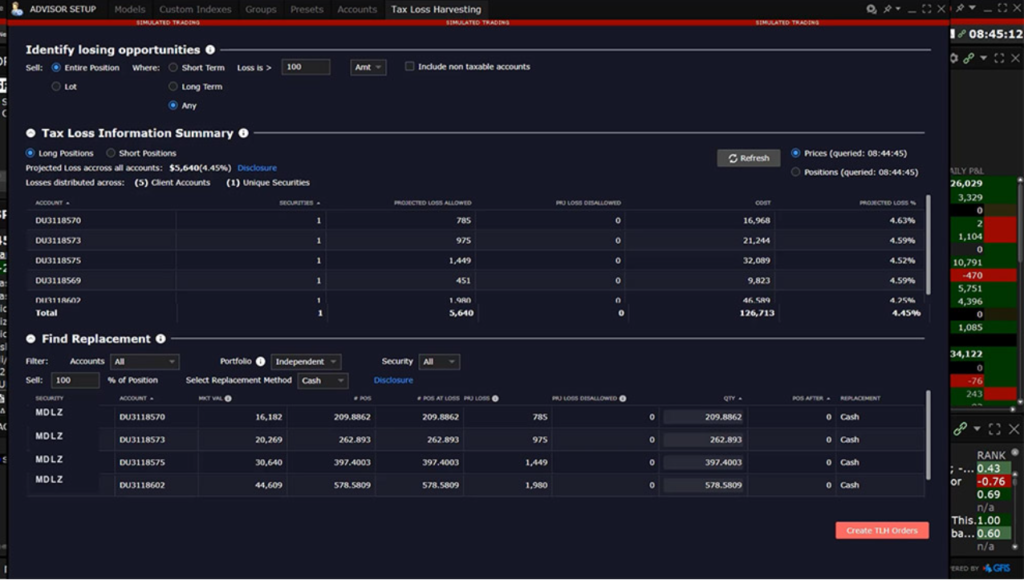
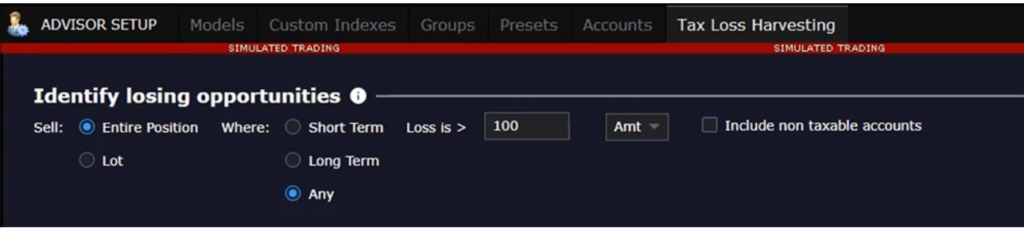
In the first section, the advisor can define the minimum loss displayed in amount or percentage.
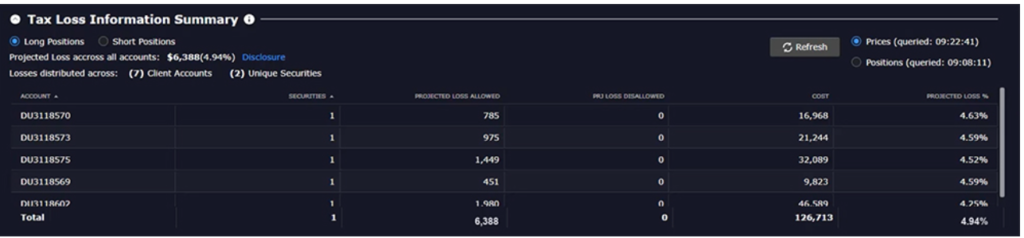
In order to view a summary of projected losses and tax loss harvesting opportunities in the tool, click on the “Tax Loss Information Summary” section to get a detailed look of possible areas of improvement.
The find replacement section can help Advisors locate opportunities filtering by account, portfolio, or individual security. After that, the advisor can select the percentage of the position to close and for long positions the following replacement methods are available: cash, ETF, and scanner.
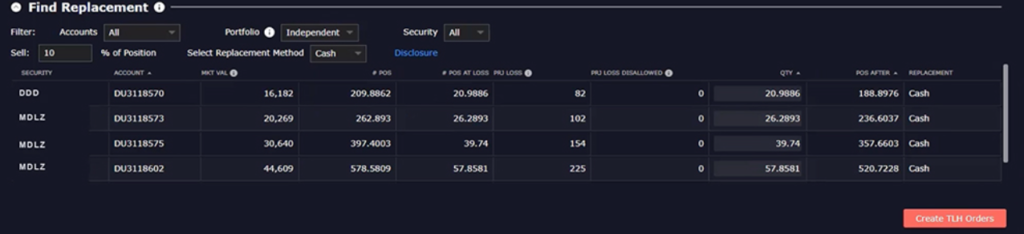
Crating orders in the IBKR Tax Loss Harvesting Tool
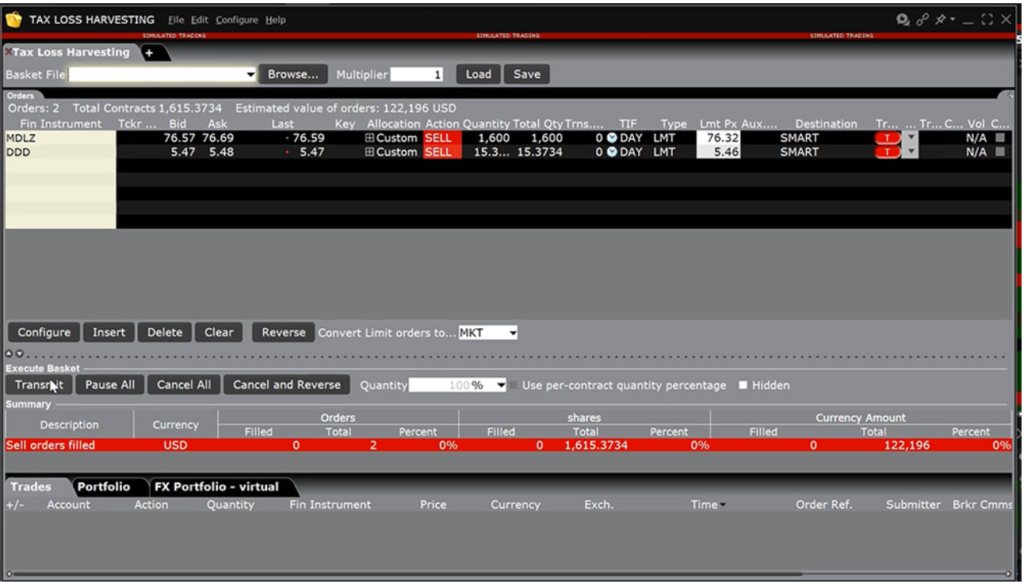
The IBKR BasketTrader is an advisor that can adjust the time-in-force, order type, and price. This tool can be accessed via the create THL Orders button in the bottom right-hand side of the window. All accounts involved with the order will receive the same average price.
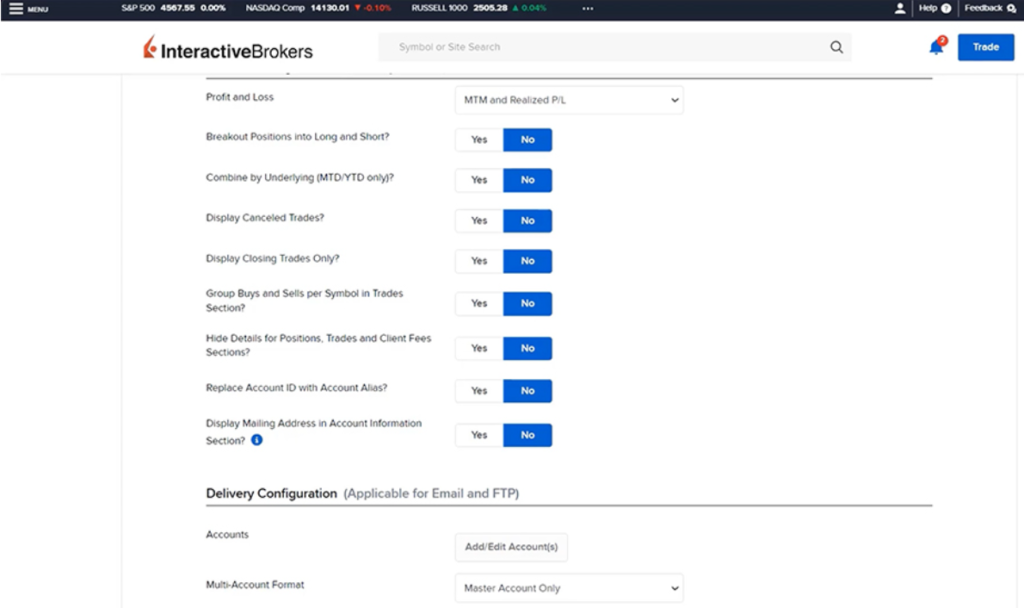
To create a custom report to verify tax allocation in the Advisor Portal, log in and navigate to the Reporting section via the Menu icon. Expand the section, select “Statements,” then “Custom Statements,” and name the report (e.g., Tax Lots). Choose “Activity” for the Statement Type, and under Sections, select Trades. In Section Configurations, set Profit and Loss to MTM and Realized P/L. Ensure the toggle for “Hide Details for Positions, Trades, and Client Fees” is set to NO. Configure the delivery settings, review the settings, and click the Blue Create button to save the custom statement. A confirmation message will appear, and the report can then be run for any or all accounts.
The output will list trades with details on closed lots, showing losses in red, gains in green, and short-term or long-term codes. This tool is useful for advisors conducting tax loss harvesting, allowing easy preview and allocation of capital losses across multiple clients.